

Healthcare organizations face constant financial and regulatory pressure. Payer requirements shift. Denial rates persist. Administrative teams are expected to maintain accuracy while accelerating reimbursement. When scheduling, eligibility checks, charge capture, and claims submission fall out of sync, the impact is immediate: delayed payments, increased rework, and preventable revenue loss.
Small workflow gaps create real financial consequences. This is why understanding the advantages and disadvantages of practice management systems is a revenue decision. A practice management system (PMS) sits at the center of scheduling, billing, and reporting. When properly configured, it improves operational control and cash flow. When poorly integrated, it can increase coding errors and denial exposure.
Adoption trends reflect this urgency. 75% of healthcare providers report that practice management software has improved operational efficiency. The priority is not convenience; it is financial stability and operational discipline.
In this article, we examine where practice management systems create value, where limitations emerge, and what healthcare organizations should evaluate before investing or upgrading.
Key Takeaways
- Practice management systems centralize scheduling, billing, eligibility, and reporting, improving administrative control and cash flow visibility.
- A PMS accelerates claims submission and reduces front-end errors, but it does not independently prevent coding-related denials.
- Integration quality between PMS, EHR, and coding workflows directly impacts denial rates and revenue stability.
- Implementation, integration gaps, and limited coding validation are the primary disadvantages of practice management systems.
- Augmenting a PMS with AI-driven coding validation strengthens reimbursement accuracy and protects revenue without replacing existing infrastructure.
Table of Contents
- What Is a Practice Management System (PMS)?
- Practice Management System vs EHR vs Medical Coding Software
- What Does a Practice Management System Do?
- 7 Key Advantages of Practice Management Systems
- Disadvantages and Limitations of Practice Management Systems
- Use Cases of PMS Across Practice Types
- When Should You Upgrade or Augment Your Practice Management System?
- How RapidClaims Strengthens Revenue Cycle Performance
- Conclusion
- FAQs
What Is a Practice Management System (PMS)?
A practice management system (PMS) is software designed to manage the administrative and financial operations of a healthcare organization. It connects front-desk activities, such as scheduling and registration, to billing workflows and the broader revenue cycle.
Unlike an electronic health record (EHR), which focuses on clinical documentation and patient health data, a PMS supports non-clinical functions tied to operational efficiency and reimbursement.
In many organizations, the PMS serves as the front-end driver of the revenue cycle. It captures accurate patient and insurance information before claims move to clearinghouses and payers. Modern platforms integrate with EHRs, accounting systems, clearinghouses, and patient portals to maintain consistent data flow and reduce duplication.
To understand where a PMS adds value, and where its limits begin, we need to position it alongside the EHR and medical coding platforms within the broader technology ecosystem.
Also Read: Basics of Medical Coding: A Beginner's Guide
Practice Management System vs EHR vs Medical Coding Software
Healthcare organizations operate across three critical technology layers: administrative workflow, clinical documentation, and coding validation. While these systems often integrate, they serve different functions within the revenue cycle.
| System | Primary Role | What It Manages | What It Does Not Do | Direct Revenue Influence |
|---|---|---|---|---|
| Practice Management System (PMS) | Administrative and financial workflow control | Scheduling, registration, eligibility, charge capture, claim submission, payment posting, A/R tracking | Does not perform deep documentation review or advanced coding validation | Impacts claim submission speed, cash flow timing, and operational efficiency |
| EHR / EMR | Clinical documentation management | Patient history, diagnoses, treatment plans, encounter notes, lab results, imaging data | Does not manage billing workflows or validate payer rule compliance | Affects medical necessity support and coding specificity |
| Medical Coding Platform (AI-powered) | Coding accuracy and compliance validation | ICD-10, CPT, HCPCS assignment, modifier validation, NCCI edits, HCC capture | Does not manage scheduling, patient intake, or billing logistics | Directly influences denial rates, reimbursement accuracy, and audit risk |
A PMS improves workflow discipline. An EHR strengthens documentation quality while a coding platform protects reimbursement integrity.
When these roles blur, or when validation is missing, denial risk increases. Now, let’s examine how a PMS fits into the actual claims lifecycle, and where breakdowns tend to occur.
Also Read: EMR Conversion Challenges & Best Practices in 2026
How Practice Management Systems Support Revenue Cycle Management
A practice management system supports revenue cycle execution by controlling the administrative stages of claim processing. It structures how patient data, charges, and billing information move from intake to submission. However, it does not independently validate coding accuracy or prevent denials.
To understand its impact, it helps to examine where the PMS sits within the claims lifecycle.
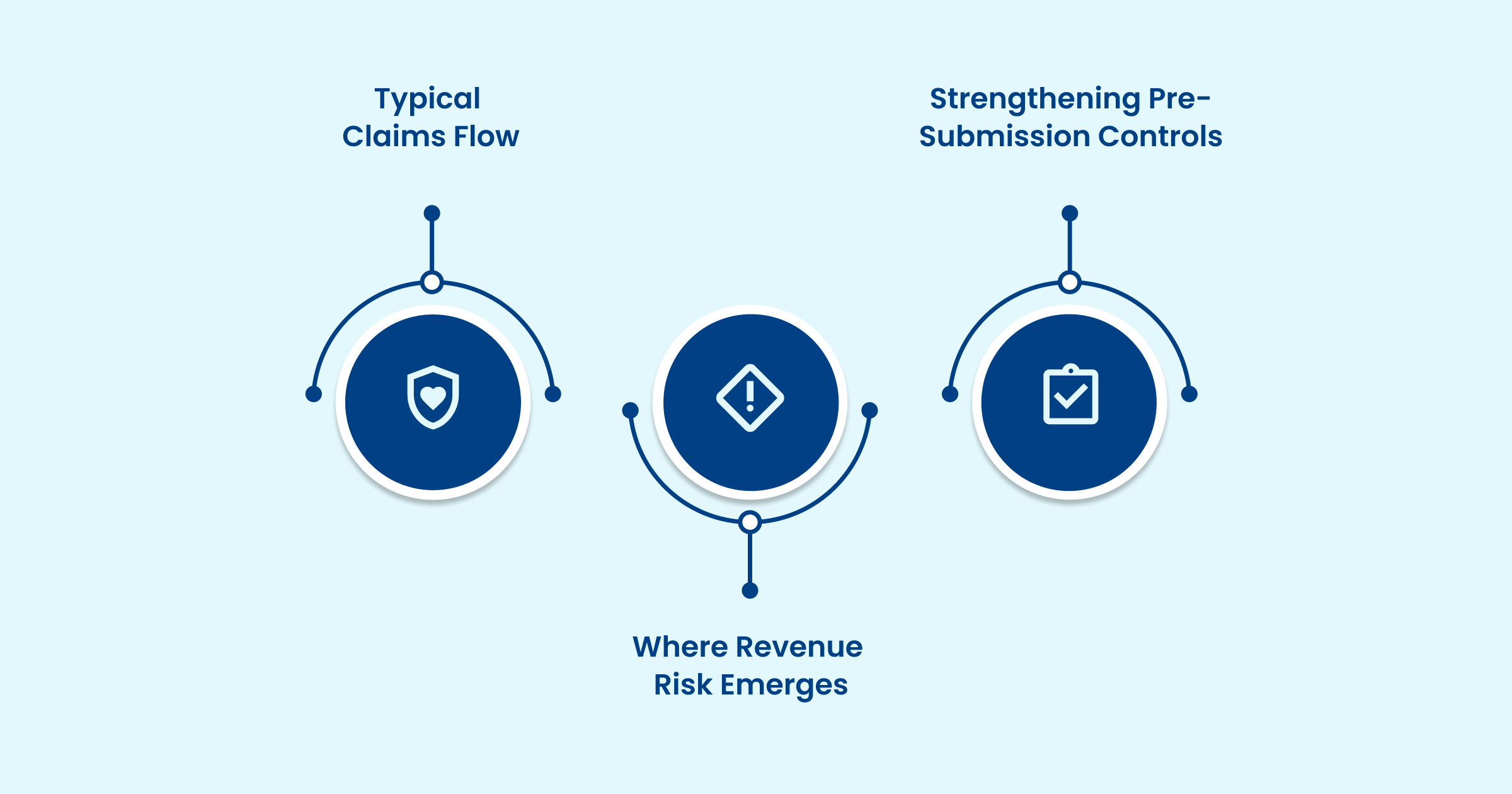
Typical Claims Flow
In most healthcare environments, the process follows this sequence:
- Clinical documentation is captured in the EHR.
- Encounter and charge data transfer to the PMS.
- Codes are assigned based on the documented services.
- The PMS generates and submits the claim to a clearinghouse.
- The payer adjudicates the claim and issues remittance advice.
The PMS ensures that claims are created, formatted, and transmitted efficiently. It governs workflow speed and data movement. What it typically does not do is analyze documentation depth or validate complex coding logic before submission.
Where Revenue Risk Emerges
Denial exposure usually originates at the documentation and coding stage. Common breakdowns include:
- Incomplete HCC documentation
- ICD-10 specificity gaps
- Incorrect CPT–ICD combinations
- Missed NCCI edits
- Modifier sequencing errors
- Payer-specific policy misalignment
If these issues are not identified prior to submission, the claim may be delayed, denied, or subjected to audit review.
Strengthening Pre-Submission Controls
This is where coding validation layers become critical. AI-driven coding platforms work with PMS workflows to review documentation and apply coding rules before claims are generated.
These systems can:
- Detect documentation inconsistencies
- Validate ICD-10, CPT, and HCPCS accuracy
- Identify edit conflicts and modifier errors
- Enforce payer-specific requirements
- Improve risk adjustment accuracy
By introducing validation earlier in the workflow, organizations reduce preventable denials and minimize rework. With the PMS’s role in the revenue cycle defined, let’s explore the operational capabilities that allow it to structure these workflows effectively.
What Does a Practice Management System Do?
A practice management system organizes the administrative and financial side of healthcare into one structured platform. Instead of juggling separate tools for scheduling, billing, reporting, and claims tracking, teams operate within a connected workflow.
While feature depth varies by vendor, most modern PMS platforms include the following core capabilities.
1. Appointment and Staff Scheduling
Scheduling drives both patient flow and revenue consistency. A PMS typically supports:
- Real-time online appointment booking
- Visit creation, modification, and cancellation
- Double-booking safeguards
- Visit-type and duration tracking
- Provider calendars and shift coordination
Automated reminders reduce no-shows and help maintain predictable daily volumes. Centralized scheduling improves visibility across providers and locations.
2. Patient Registration and Eligibility Management
Front-end accuracy directly affects claim acceptance. PMS platforms centralize:
- Demographic capture
- Insurance data collection
- Consent documentation
- Visit and payment history
Insurance cards can be uploaded or scanned, and eligibility checks can be performed during intake. When integrated with an EHR, patient data flows consistently between clinical and billing workflows, reducing duplication.
3. Claims Processing and Billing Automation
Revenue cycle performance depends on structured billing execution. Most PMS solutions automate:
- Charge capture and invoice generation
- Electronic claim submission
- Clearinghouse connectivity
- Claim status tracking
- Denial management workflows
- Payment posting and reconciliation
- Accounts receivable monitoring
- Point-of-care responsibility estimates
Electronic submission shortens reimbursement timelines and improves transparency into claim performance.
4. Reporting and Operational Analytics
Performance cannot improve without visibility. PMS reporting tools commonly track:
- Clean claim rates
- Denial categories
- Days in accounts receivable
- Appointment utilization
- Revenue trends
- Collection performance
Dashboards help leadership identify bottlenecks and revenue leakage early, whether in intake, coding, or follow-up.
5. Secure Communication and Patient Portals
Administrative coordination requires secure information exchange. PMS platforms often include:
- Automated reminders
- Secure staff-to-patient messaging
- Patient portals for scheduling and billing
- Internal communication tracking
- Telehealth coordination
Role-based access controls, encryption, and audit logs support regulatory compliance.
6. Administrative and Operational Automation
Beyond billing and scheduling, many systems include:
- E-prescription coordination
- Inventory tracking and reorder alerts
- Insurance enrollment task automation
- Document management
These functions reduce manual workload and prevent operational delays tied to supply or documentation gaps.
7. Integration and Interoperability
A PMS must connect with surrounding systems, including:
- EMR and EHR platforms
- Clearinghouses
- Accounting software
- Telehealth tools
Effective integration reduces reconciliation errors and supports consistent data movement across clinical and financial environments.
Also Read: Clinical Documentation Compliance 2026: Requirements and AI Impact
Features alone do not improve revenue performance. Their impact depends on configuration quality, system integration, and disciplined adoption across teams. When executed properly, these capabilities create measurable operational stability and financial control.
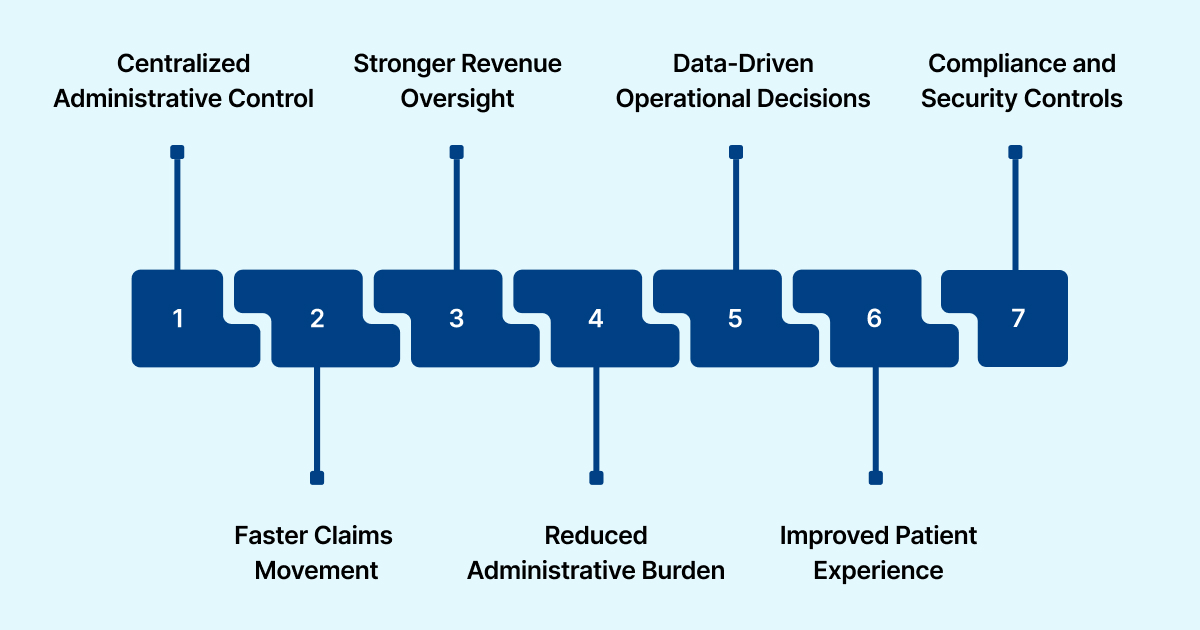
7 Key Advantages of Practice Management Systems
When properly implemented, a practice management system strengthens both operational discipline and financial control. Its impact depends on configuration quality, integration depth, and consistent staff usage, but when aligned correctly, the advantages are measurable.
1) Centralized Administrative Control
A PMS brings scheduling, registration, billing, and reporting into one coordinated environment. This reduces duplicate data entry and minimizes breakdowns between front-desk and billing teams.
Operational improvements include:
- Real-time appointment visibility
- Consolidated demographic and insurance records
- Standardized charge workflows
- Fewer front-end eligibility errors
For multi-provider or multi-location organizations, centralized oversight improves coordination and consistency.
2) Faster Claims Movement and Stronger Cash Flow
Automated eligibility checks, structured charge capture, and electronic batch submission move claims to payers more quickly.
When claims are complete at submission, organizations typically see:
- Lower days in accounts receivable
- Reduced avoidable denials
- Shorter reimbursement cycles
- More predictable cash flow
Electronic claims processing has been shown to reduce billing errors and accelerate reimbursement timelines compared to manual workflows.
3) Stronger Revenue Oversight
A PMS provides visibility into core revenue cycle metrics through structured dashboards. Teams can monitor:
- Claim submission status
- Denial trends
- Payment posting activity
- A/R aging
- Collection performance
Early visibility into discrepancies reduces rework and supports stronger first-pass resolution rates.
4) Reduced Administrative Burden
Automation removes repetitive manual tasks that strain staff capacity. Common efficiencies include:
- Automated appointment reminders
- Real-time eligibility verification
- Recurring billing workflows
- Task routing and alerts
By reducing clerical workload, billing teams can focus on denial management and compliance oversight instead of data entry.
5) Data-Driven Operational Decisions
Access to structured performance metrics allows leaders to act based on evidence rather than assumptions. Reporting tools support analysis of:
- Clean claim rates
- Charge lag
- Appointment utilization
- Revenue trends
This visibility enables proactive adjustments to intake, staffing, and billing workflows.
6) Improved Patient Experience and Internal Alignment
Structured scheduling and digital intake reduce delays and confusion. Shared visibility across teams improves coordination.
Key benefits include:
- Online booking and automated reminders
- Faster check-in through digital forms
- Secure patient messaging
- Transparent billing access
- Real-time workflow visibility for staff
Stronger internal alignment leads to smoother patient interactions and fewer administrative errors.
7) Compliance and Security Controls
Because PMS platforms manage protected health and financial data, built-in safeguards are critical. Most systems support:
- Role-based access controls
- Encrypted data storage
- Audit logging
- HIPAA-aligned compliance features
Structured access controls strengthen audit readiness and reduce unauthorized exposure risks.
A well-configured PMS creates structure, improves visibility, and reduces manual strain. However, efficiency alone does not eliminate coding errors or denial risk. To fully understand the advantages and disadvantages of practice management systems, it’s important to examine the tradeoffs and limitations that can affect revenue performance.
Disadvantages and Limitations of Practice Management Systems
A practice management system adds structure, but it also introduces risk if not implemented and governed carefully. Evaluating these limitations upfront helps prevent financial and operational setbacks.

1. Total Cost Beyond Licensing
Subscription fees are only part of the expense. Organizations must consider:
- Implementation and configuration
- Data migration
- EHR and clearinghouse integration
- Staff training
- Ongoing support and upgrades
Cloud systems create recurring costs. On-premise deployments require infrastructure and internal IT oversight. Long-term contracts can limit flexibility if performance expectations are not met.
2. Implementation-Related Slowdowns
Deployment often requires workflow redesign and retraining. During transition, practices may experience:
- Slower charge entry
- Billing backlogs
- Temporary denial increases
- Inconsistent system usage
Without phased rollout planning and baseline performance tracking, short-term disruption can impact cash flow.
3. Integration Challenges
A PMS must exchange data accurately with EHRs, coding platforms, clearinghouses, and payer systems. Weak integration can result in:
- Duplicate data entry
- Missing modifiers
- Incorrect CPT–ICD combinations
- Incomplete documentation transfer
- Delayed claim generation
Poor interoperability increases denial risk rather than reducing it.
4. Limited Coding Validation
Most PMS platforms rely on rule-based field checks. They typically do not:
- Analyze documentation context
- Detect ICD-10 specificity gaps
- Validate complex modifier logic
- Identify HCC capture gaps
- Fully enforce NCCI edits
As coding complexity grows, these limitations can expose organizations to denials and audit scrutiny.
5. Vendor Dependency
Switching vendors can be operationally disruptive due to:
- Complex data migration
- Reporting continuity gaps
- Staff retraining
- Contract termination constraints
Proprietary system architecture may restrict long-term adaptability.
6. Security and Compliance Risk
Because PMS platforms store protected health and financial data, security controls must be verified. Organizations should confirm:
- HIPAA-compliant hosting
- Business Associate Agreements
- Role-based access controls
- Encryption and audit logging
Misconfiguration increases compliance exposure.
A PMS improves administrative coordination, but it does not eliminate financial risk on its own. The way a practice management system performs in a small clinic is very different from how it functions in a multi-specialty group or hospital setting.
Let’s see how PMS infrastructure plays out across different practice types.
Use Cases of PMS Across Practice Types
The effectiveness of a practice management system depends on the size, structure, and clinical complexity of the organization. While a PMS improves administrative coordination in every setting, financial performance ultimately depends on how well coding and documentation are managed alongside it.
Small Physician Practices
Single-location or single-specialty clinics primarily use a PMS to manage:
- Scheduling
- Eligibility verification
- Basic billing and claim submission
- Payment tracking
These capabilities reduce front-end errors and administrative workload. However, limited internal coding oversight can leave gaps in ICD-10 specificity or modifier usage, which may result in avoidable denials.
Multi-Specialty Groups
Larger physician groups depend on centralized billing and reporting. A PMS supports:
- Multi-provider scheduling
- Standardized charge workflows
- Consolidated A/R tracking
- Cross-location visibility
As specialty diversity increases, coding complexity grows. Inconsistent documentation standards and modifier-related denials become more common. Integrating structured coding validation helps maintain consistency across departments.
Ambulatory Surgery Centers (ASCs)
ASCs operate in high-procedure environments where reimbursement depends heavily on bundling logic and HCPCS accuracy. While the PMS manages scheduling and submission, procedural complexity raises the risk of:
- NCCI conflicts
- HCPCS mismatches
- Incorrect modifier sequencing
Pre-submission validation strengthens accuracy and reduces rework in these high-volume settings.
Hospital Outpatient Departments
Outpatient departments handle large claim volumes under complex payer rules. A PMS centralizes billing coordination and reporting, but may not fully address:
- LCD and NCD compliance
- Specialty-level coding nuances
- Risk adjustment alignment
Additional coding oversight becomes critical to maintain reimbursement stability and reduce audit exposure.
Across practice types, a PMS improves administrative execution. As clinical scope and claim volume increase, coding precision plays a larger role in financial outcomes. The PMS manages workflow structure. Coding validation determines revenue protection.
When Should You Upgrade or Augment Your Practice Management System?
A practice management system brings structure to scheduling and billing. It does not automatically solve coding complexity or denial risk.
If your organization is seeing:
- Ongoing coding-related denials
- HCC capture gaps and RAF inconsistencies
- Growing chart backlogs
- Increased audit scrutiny
- Revenue leakage despite stable front-end workflows
The problem may not be workflow speed. It may be insufficient coding validation before claim submission. In many cases, full system replacement is not necessary. Augmenting your existing PMS with advanced coding automation can address gaps without disrupting operations.
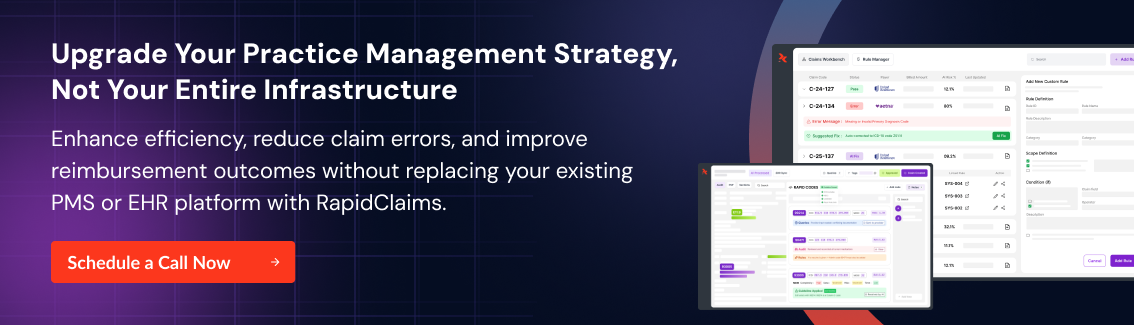
RapidClaims integrates directly with existing PMS and EHR environments to reinforce coding precision and denial prevention. By layering AI-driven validation into the revenue cycle workflow, organizations can reduce rework, improve risk adjustment accuracy, and maintain audit-ready documentation, without rebuilding their core systems.
How RapidClaims Strengthens Revenue Cycle Performance
RapidClaims is an AI-powered medical coding automation and revenue cycle intelligence platform designed for healthcare organizations seeking measurable improvements in coding accuracy and denial reduction.
The platform uses machine learning, natural language processing, and payer-specific rule logic to analyze clinical documentation, assign codes, and validate claims before submission.
Key capabilities include:
- Autonomous Medical Coding and Validation (RapidCode): Processes high chart volumes with accuracy across ICD-10, CPT, HCPCS, E&M, and HCC coding frameworks, reducing manual review time and coding inconsistencies.
- Pre-Submission Claim Scrubbing (Rapid Scrub): Identifies documentation gaps, modifier errors, and payer rule conflicts before claims are transmitted, lowering denial rates and shortening reimbursement cycles.
- Seamless Integration: Designed to integrate with existing PMS, EHR, and clearinghouse environments using interoperable API frameworks, minimizing operational disruption.
The platform emphasizes measurable revenue cycle improvements, such as higher clean claim rates, faster reimbursement timelines, and reduced denials, while allowing healthcare teams to retain oversight as AI handles repetitive tasks.
Conclusion
Practice management systems are a critical part of healthcare operations. However, understanding the advantages and disadvantages of practice management systems is essential before relying on them as a complete solution. While they improve workflow control and administrative visibility, they do not automatically solve coding complexity or denial risk.
As payer rules evolve and compliance expectations increase, revenue protection depends on pairing administrative systems with strong coding validation and documentation oversight.
When a PMS is supported by intelligent automation, healthcare organizations can reduce denials, improve reimbursement accuracy, and maintain audit readiness, without replacing their core infrastructure.
If you’re looking to strengthen revenue performance without replacing your current system, it may be time to enhance it. Book a demo with RapidClaims to see how AI-driven coding validation can integrate with your existing PMS and help protect your revenue.
FAQs
1. What is the difference between a practice management system and an EHR?
A practice management system handles administrative and billing workflows such as scheduling, registration, claims processing, and reporting. An EHR manages clinical documentation and patient health records. Both affect revenue, but they serve distinct operational roles.
2. Can a practice management system reduce claim denials?
A PMS can reduce front-end errors related to eligibility and demographic data. However, coding accuracy, modifier validation, and documentation gaps often require advanced coding automation to significantly reduce denial rates.
3. Does a PMS support HCC risk adjustment coding?
Most traditional PMS platforms offer limited risk adjustment support. Accurate HCC capture and RAF optimization typically require specialized coding validation tools.
4. How long does PMS implementation typically take?
Implementation timelines vary by organization size and integration complexity. Smaller practices may complete deployment within weeks, while multi-site or specialty groups may require several months.
5. Does cloud-based PMS create security risks?
Cloud systems can be secure if the vendor provides HIPAA-compliant hosting, encryption, role-based access controls, and audit logging. Vendor due diligence is essential.


